

The Application of IP Mesh Radio in Military and Unmanned Aerial Vehicle (UAV) Communications
2025-10-28


Mesh Self-Organizing Network 6-point Chain Networking Test Report
I. Objective
This test is a preparation for the work to be carried out in Building A of Shenzhen Shenfang Technology.
II. Scope
The target readers of this article are internal staff members of the company, including those in R&D, product development, production, and marketing.
III. Test Items
l 6-point chain networking test
3.1 Test location and time
Test location: Main building of Shenzhen Longgang Smart Valley
Test date: July 5, 2023
3.2 Testing environment
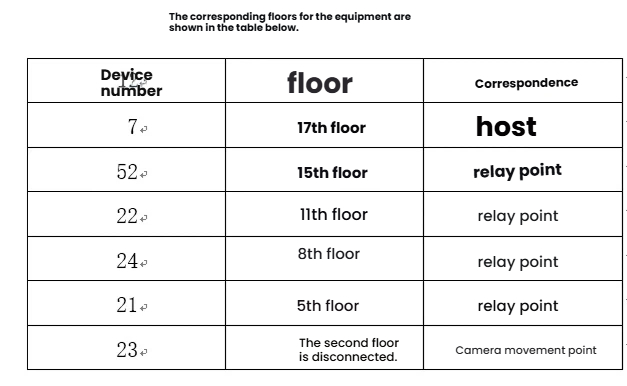
The main building of Wisdom Valley, floors 17 to 2
IV. Test Details
Prerequisite: Frequency band is 1438 MHz, bandwidth is 10 MHz, distance parameter is 1000, and transmission power is 27 dBm.
4.1 Video measurement
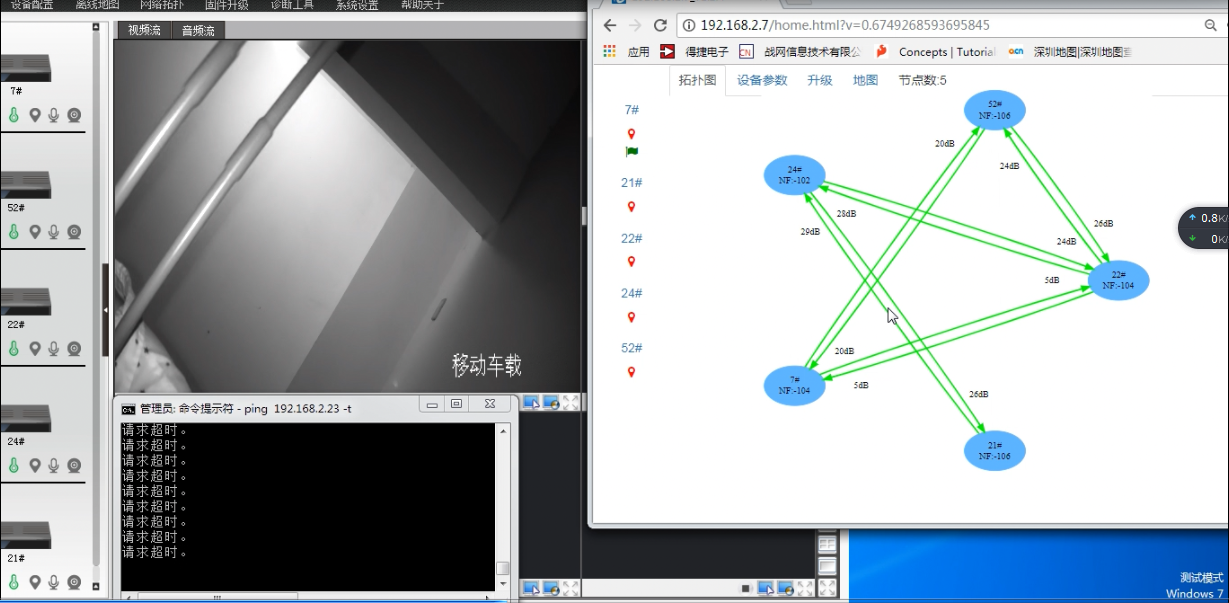
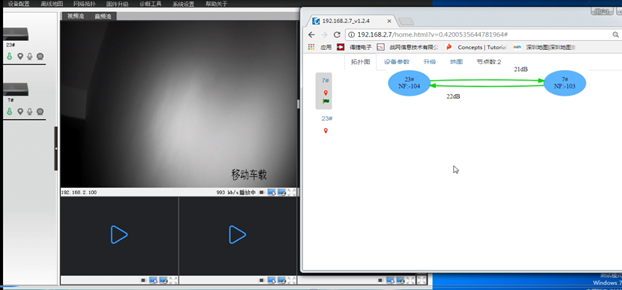
At the topmost 17th floor, turn on one device (No. 7), place it stationary in the stairwell. Start the second device (No. 23), connect the camera (with a bitrate of 1024) and move it down the stairs. Stop when the signal-to-noise ratio of the two devices is around 20. As shown in the figure below:
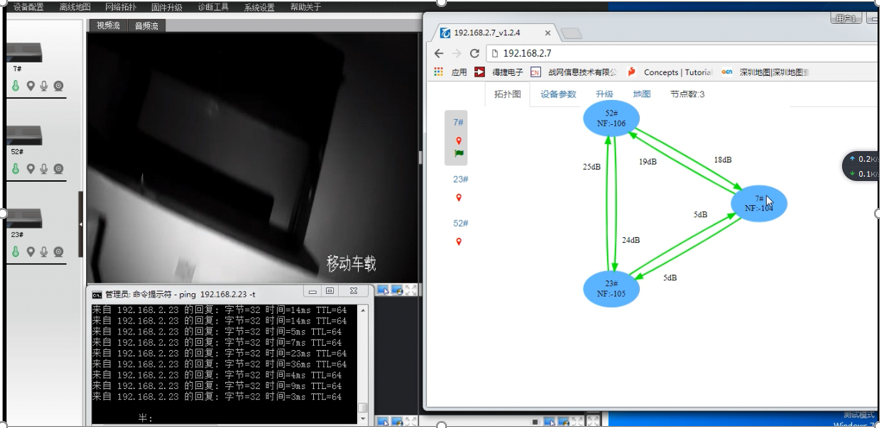
At this point, start another device (52), place it at the current device's position, and proceed as the device connects to the network. Stop when the signal-to-noise ratio of the 23rd device and the 52nd device is around 20 dB, as shown in the following figure:
At this point, turn on another device (number 22), place it at the current device's position, and proceed as before after the device connects to the network. Stop when the signal-to-noise ratio of device 23 and device 22 is around 20 dB, as shown in the following figure:
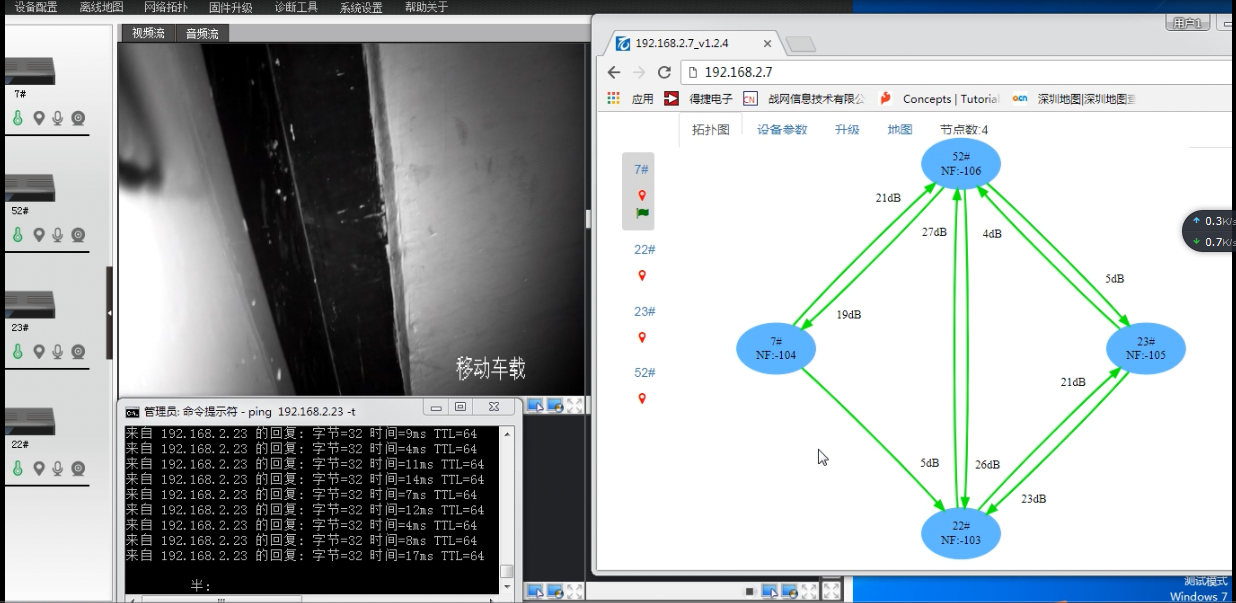
At this point, turn on another device (number 24), place it at the current device's position, and proceed as before after the device connects to the network. Stop when the signal-to-noise ratio of the 23rd device and the 24th device is around 20 dB, as shown in the following figure:
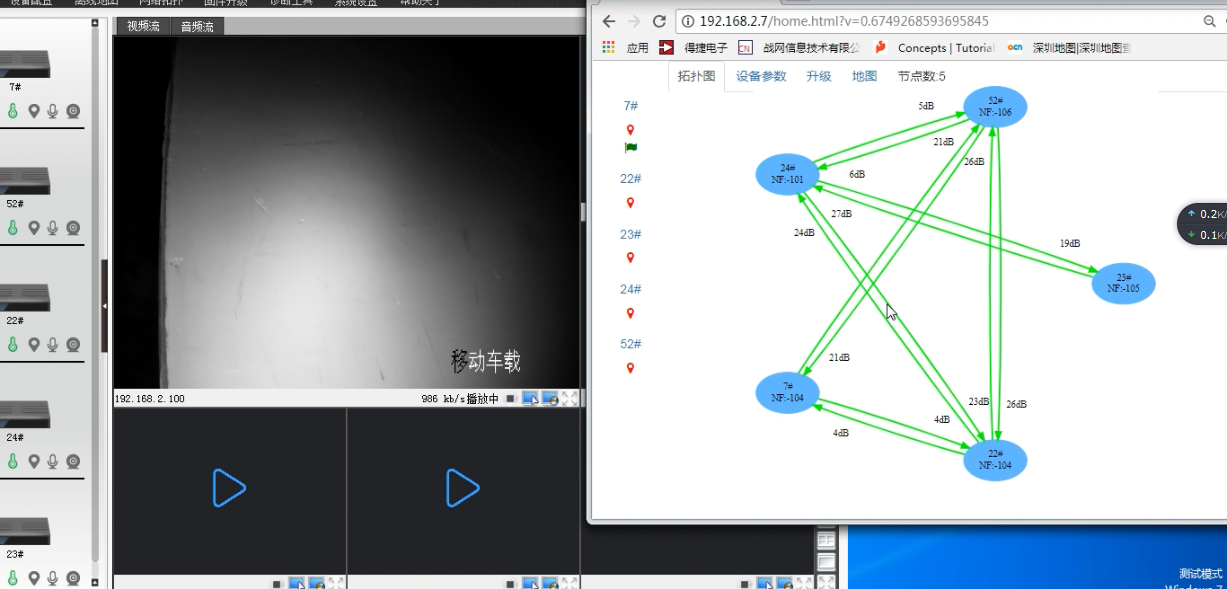
At this point, turn on another device (number 21), place it at the current device's location, and proceed as before until the device disconnects. As shown in the following picture: